

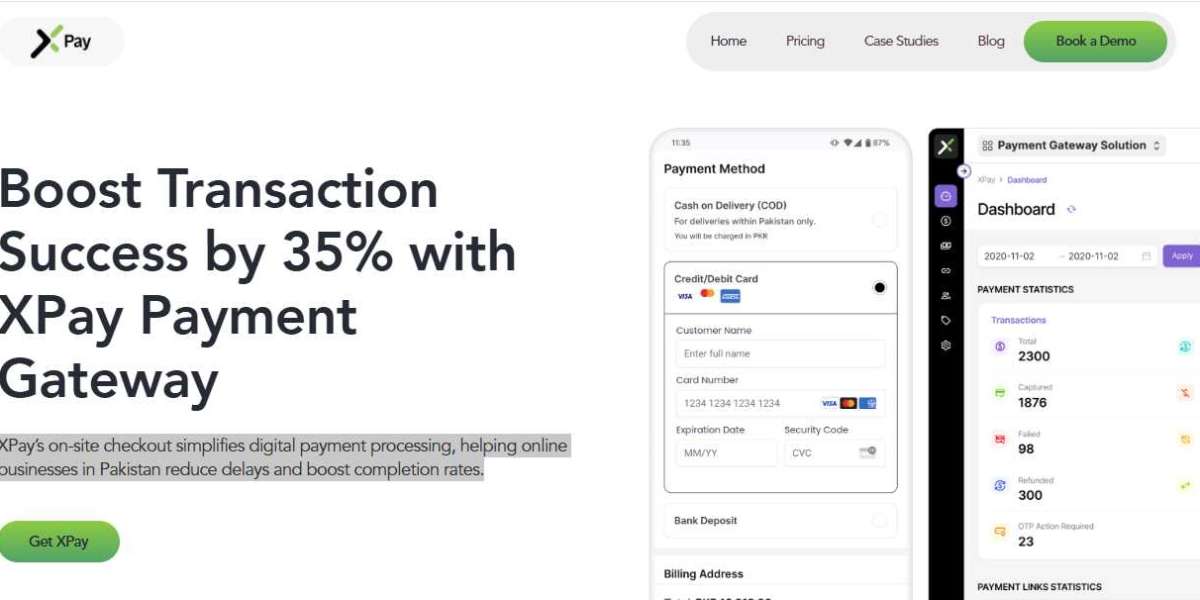

Integrating a payment gateway is one of the most critical parts of building an eCommerce store. It affects customer experience, conversion rates, and how fast a business can scale online. XPay makes this process developer-friendly by offering SDKs and CMS plugins that simplify the work.
Integrating a payment gateway is one of the most critical parts of building an eCommerce store. It affects customer experience, conversion rates, and how fast a business can scale online. XPay makes this process developer-friendly by offering SDKs and CMS plugins that simplify the work.
If you're a developer or product owner looking to offer a secure and smooth checkout, this guide is for you. We’ll cover everything from choosing the right SDK to integration timelines and documentation resources. XPay is quickly becoming a preferred payment gateway in Pakistan, and here’s how you can integrate it with ease.
Why Developers Prefer XPay
XPay has been built keeping developer needs at the centre. It supports mobile and web apps across all major frameworks. The platform also ensures proper documentation and responsive support channels to minimise integration delays.
Another major benefit is XPay’s tokenisation system and PCI-DSS compliance. These features remove the burden of handling sensitive card data directly on your servers. Instead, XPay does the heavy lifting, keeping both you and your customers protected.
Overview of Available SDKs and Plugins
XPay offers a wide range of SDKs and plugins that suit most tech stacks. You don’t have to build everything from scratch. Instead, choose the integration method that aligns best with your platform and product.
SDKs for Mobile and Web
React Native SDK: Ideal for cross-platform apps
Flutter SDK: Quick implementation for Android and iOS
Kotlin SDK: Native Android apps
Swift SDK: Native iOS apps
JavaScript SDK: For modern web-based front-ends
These SDKs come with sample code, sandbox testing, and error handling built-in. Each SDK is designed to ensure minimal friction while maintaining strong security and fast performance.
CMS and eCommerce Plugins
XPay provides pre-built plugins for popular content management systems and commerce platforms:
Shopify Plugin: Easy-to-install and configure from your admin panel
WooCommerce Plugin: Seamless WordPress compatibility with plugin configuration options
Magento Plugin: Robust and scalable, great for enterprise-level eCommerce
All plugins come with detailed documentation to help you get started immediately.
Step-by-Step Integration Process
Let’s walk through how to integrate XPay using one of the SDKs or plugins. Here’s a simplified step-by-step process developers can follow:
Step 1: Get Access to the Merchant Panel
Sign up on the XPay website and create a merchant account. Once approved, you’ll get access to the dashboard. From here, you can generate API keys and access integration credentials securely.
Step 2: Choose Your SDK or Plugin
Select the SDK or plugin that matches your tech stack. Head to the XPay Documentation to download the SDK or follow instructions for plugin installation.
Step 3: Set Up the SDK or Plugin
For mobile SDKs, install the package via your build tool (Gradle, CocoaPods, etc). For CMS plugins, install from your admin panel or upload the plugin manually. Then configure it with your API keys and preferred PSPs.
Step 4: Test in Sandbox Mode
XPay provides a sandbox environment to simulate payments. This helps you verify transactions, test error handling, and tweak your front-end flow without real money.
Step 5: Go Live
After testing is successful, switch to live mode in your dashboard. Monitor the first few transactions to ensure everything runs as expected. Use XPay’s real-time logs to troubleshoot any issues quickly.
Integration Timelines and Effort
One of the biggest benefits of using XPay is its short integration timeline. Most standard CMS plugins can be fully integrated within 1 to 2 working days. For SDKs, timelines depend on app complexity but typically range from 3 to 5 days.
XPay’s clear documentation and dedicated technical support team help reduce delays. You also get access to live chat and dedicated account managers in case of any technical blockers.
Best Practices for Developers
Follow these best practices to ensure smooth integration and performance:
Always test using the sandbox before going live
Enable logging to track any unexpected behaviours
Use tokenisation to reduce PCI-DSS scope and secure customer data
Update your SDKs and plugins regularly to patch security issues
These practices not only save you time but also ensure your payment flows stay secure and fast.
Error Handling and Debugging Tools
XPay offers detailed logs and error messages for every failed or declined transaction. These are accessible from your merchant dashboard in real time. Each SDK and plugin includes built-in support for common error scenarios.
Here’s what you should look for:
HTTP response codes and messages
Transaction ID tracking for refunds and retries
Timeout handling for low-bandwidth scenarios
With these tools, you can debug and resolve issues without involving customer service.
Benefits of Using XPay Over Other Gateways
XPay is purpose-built for Pakistani merchants, which gives it a local advantage. It supports routing based on card types, banks, PSP uptime, and fallback logic. This means fewer failed transactions and higher acceptance rates.
Also, the branded checkout allows you to maintain full control of the customer journey. Unlike redirect-based gateways, XPay keeps the customer on your site or app. That small change often leads to a higher checkout completion rate.
Final Thoughts
Integrating XPay via SDKs and plugins is fast, safe, and developer-friendly. You can go live in a matter of days and offer a checkout experience that builds trust.
Whether you’re launching a mobile app, Shopify store, or custom platform, XPay has you covered. As more businesses seek a reliable payment gateway in Pakistan, XPay offers the tools to support fast, secure growth.
Start your integration today and give your customers the checkout they deserve.